 MyCelium Wiki
Features
Wrapping a present
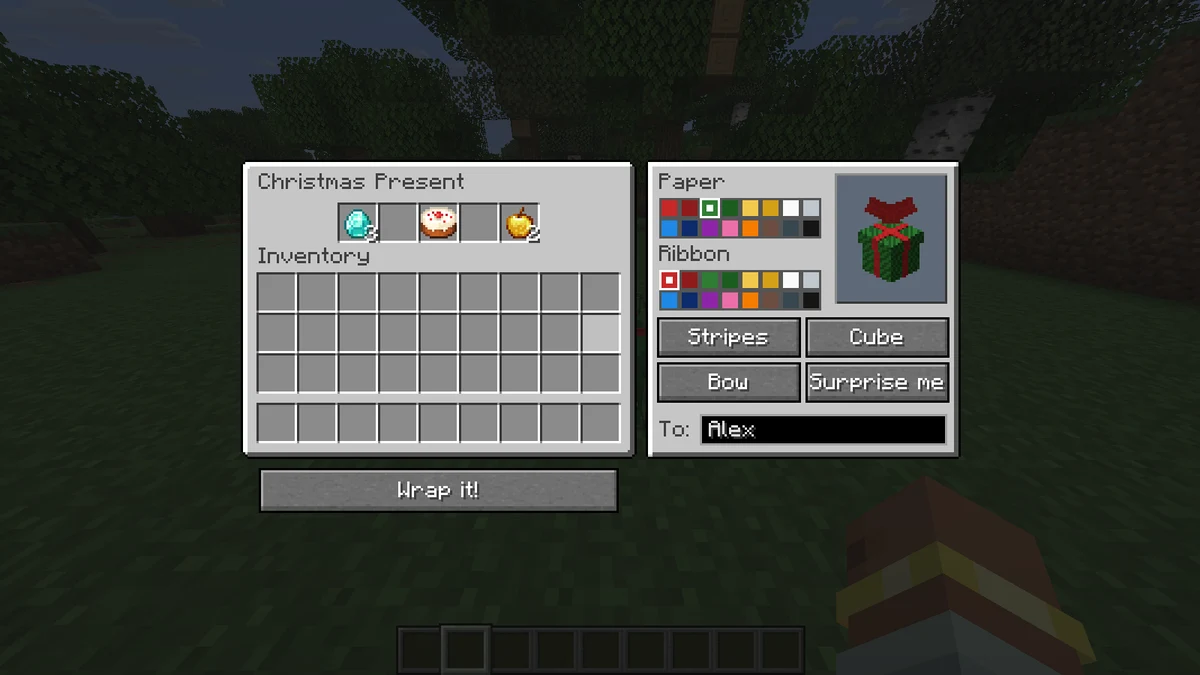
Craft a Present (paper all around, string at the top middle), place it and right-click it. The wrapping menu opens: five slots for the gifts on the left, and everything about the look on the right.
| Choice | Options |
|---|---|
| Paper colour | 16 colours, Christmas colours first |
| Pattern | Plain, stripes, dots, stars |
| Ribbon colour | 16 colours |
| Box | Cube, tall, wide, small (the hitbox matches) |
| Bow | Bow, big bow, rosette, knot |
Surprise me picks a random look. Every change shows on the real present straight away, so everyone nearby sees it being wrapped. Write a player name in To: and press Wrap it!: the present closes and a little tag with the name hangs on the front.
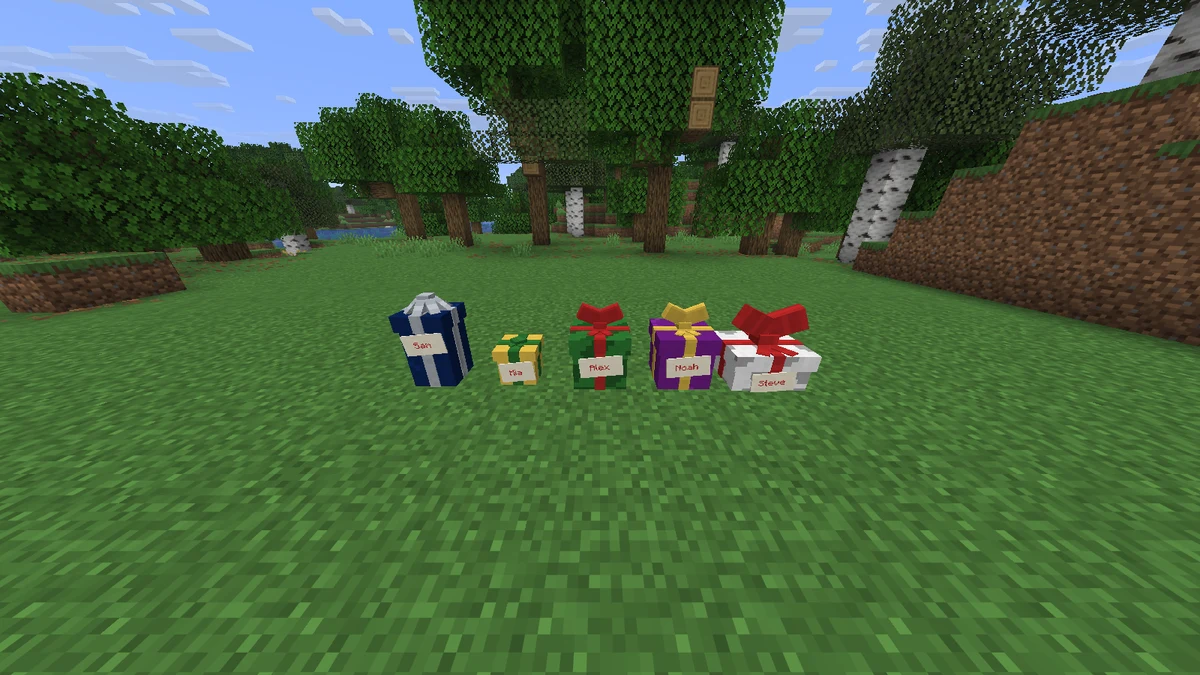
Opening a present
Right-click a present with your name on it. You step up to it and open it with both hands: you pull the bow apart, lift the lid off (it somersaults and lands behind the present), press the sides down flat, and the gifts rise up between your hands before they drop as items. Other players see you reach in with both arms.
A present without a name can be opened by anyone.
Not your present
Anyone else who tries to open it gets bumped back, the present wobbles and says who it is for. No peeking: the gifts inside are not even sent to other players' games until the present is opened.
Moving and changing presents
Break a present and it drops as an item that keeps its gifts, look and name, so you can carry it to the tree and place it again. Whoever wrapped it can sneak + right-click it to unwrap it again and change something.