 MyCelium Wiki
More Beacon Colors
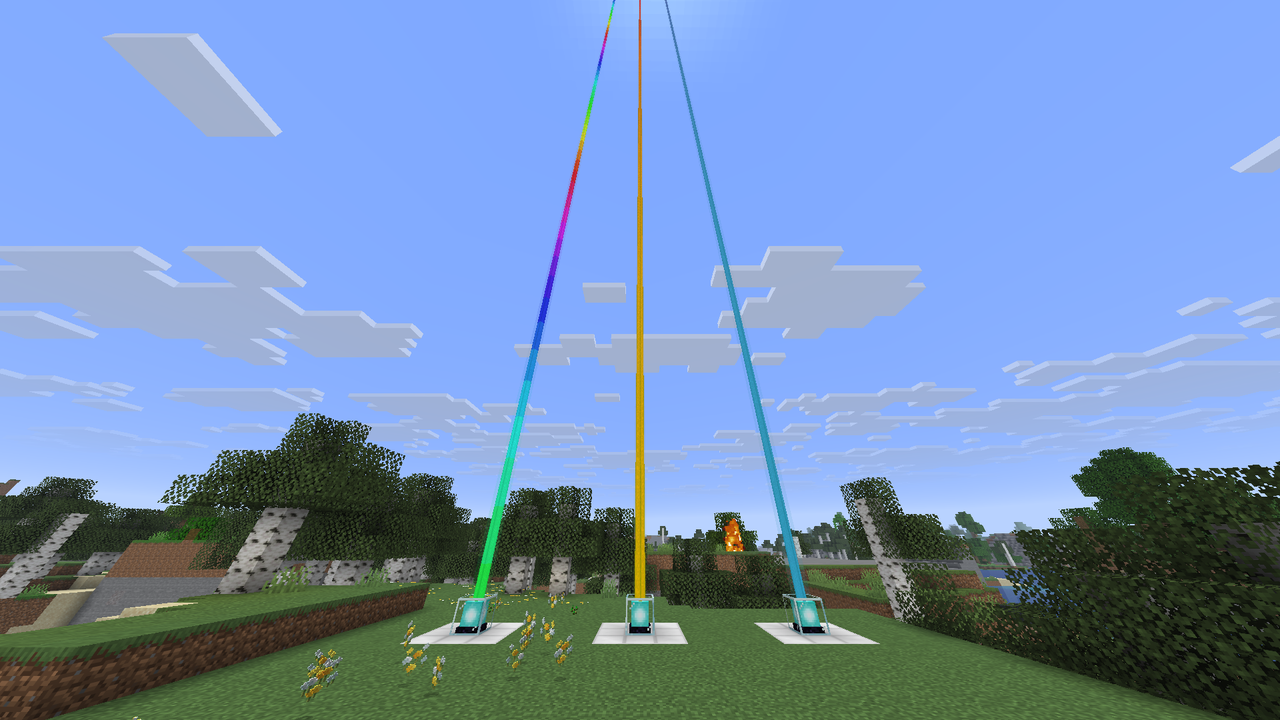
Any color for your beacon beam, picked from a menu in the beacon. A button beside the beacon screen opens it: solid colors from the 16 dyes or any custom color, gradients through as many colors as you like, rainbows, color cycles and pulses, with a live preview of the beam. On a server with the mod, colors are saved with the world and every player with the mod sees them. On a server without it, they are kept on your computer and only you see them.
How it works
The button, the six styles, picking colors, gradients, the preview, and who sees what.
Tweak it
Four settings: the master switch, the button, animated beams and a debug log.
The short version
- Open a beacon and click the beacon button just outside the top-right corner of its window.
- Pick a style: Solid, Gradient, Rainbow, Color cycle or Pulse (or Vanilla, where stained glass decides).
- Pick colors from the palette, the color picker or a hex code. Gradients and pulses take 2 to 16 colors.
- Watch the preview, scroll to zoom out over the whole beam, then click Apply.
- Install it on the server too so everyone with the mod sees your colors. Players without it see vanilla beams and join as usual.
Quick links
- Installing (remember the Mycel jar too)
- Commands (live config reload)
- Changelog
- Source code