 MyCelium Wiki
More Beacon Colors features
The button
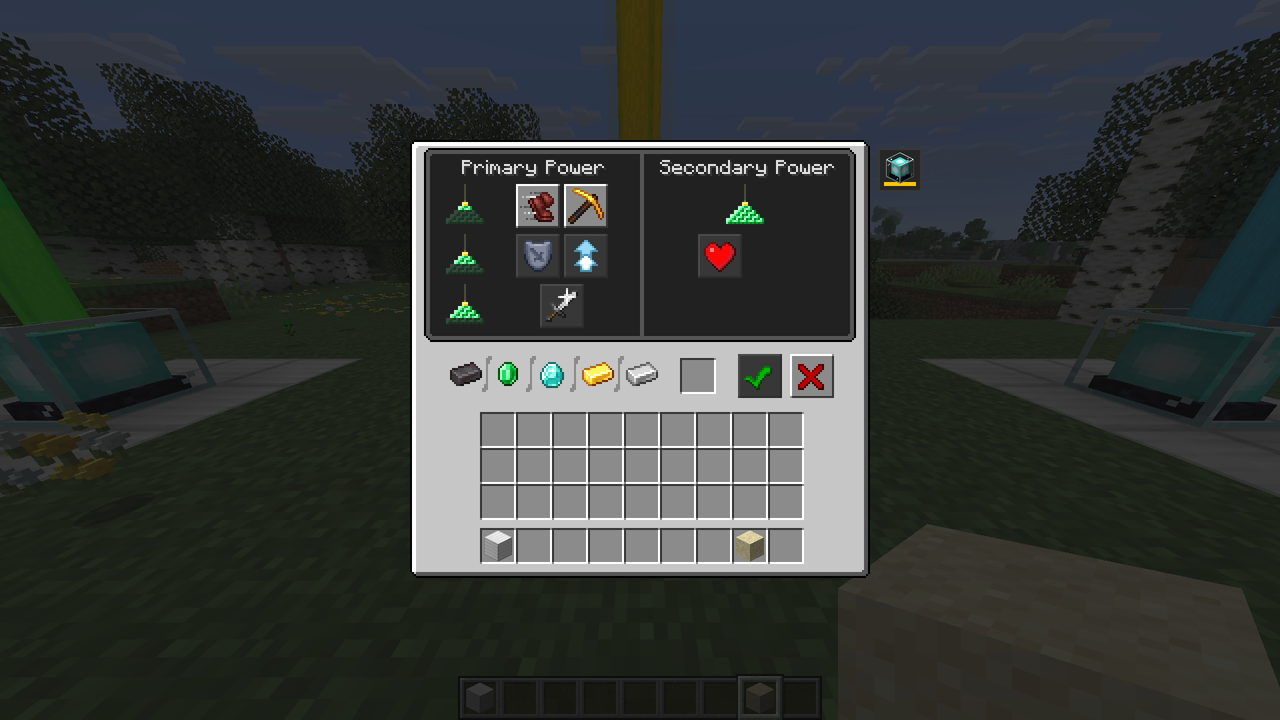
Open a beacon (it needs its pyramid to light up, as usual). A small beacon button appears just outside the top-right corner of the beacon window, over a strip in the beam's current color. Click it to open the color menu. Back (or Esc) returns to the beacon, which stays open.
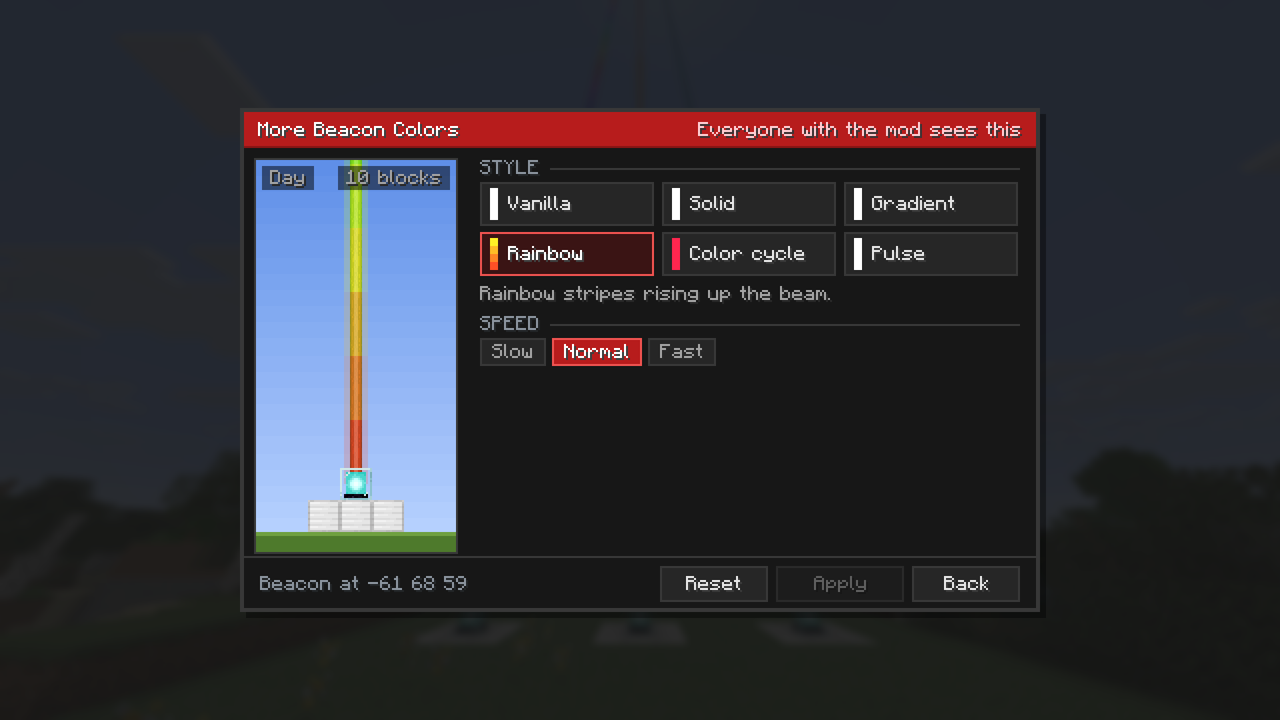
Styles
| Style | What the beam does |
|---|---|
| Vanilla | No override: stained glass above the beacon colors the beam, as without the mod. |
| Solid | One color for the whole beam. |
| Gradient | Fades through your colors, the first at the bottom and the last at the top of the world. |
| Rainbow | Rainbow stripes rising up the beam. |
| Color cycle | The whole beam runs through every color. |
| Pulse | The whole beam fades through your colors and back. |
Each style tile shows a tiny beam in that style with your current colors, so you can compare them before picking. Rainbow, Color cycle and Pulse have a speed: slow, normal or fast.
Picking colors
- Palette: the 16 dye colors plus 8 brighter extras (Crimson, Gold, Mint, Aqua and more). Hover a swatch for its name and hex code.
- Color picker: a saturation and brightness square with a hue bar below it. Click or drag.
- Hex: type a code like
#3AB3DA(or the short#f80).
Gradients and pulses with many colors
Gradients and pulses show a row of colors. Click one to select it, then change it with the palette, picker or hex field. Next to the row:
- + adds a color after the selected one, halfway between it and the next, so the beam barely changes until you pick a new color.
- - removes the selected color (a gradient or pulse keeps at least two).
- Reverse flips the order, so the top becomes the bottom.
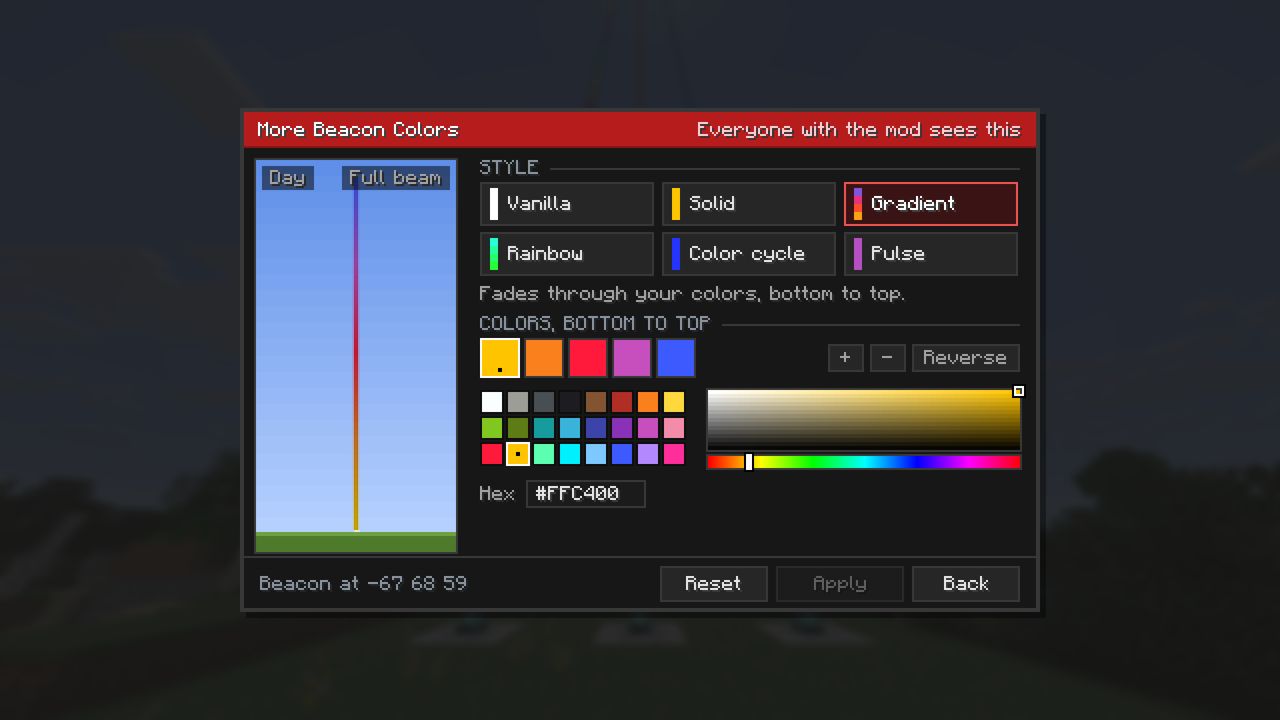
Up to 16 colors, evenly spaced along the beam for a gradient, and visited one after another for a pulse. A sunset is orange, pink and purple; a flag is three colors.
The preview
The left side of the menu shows the beacon on its iron blocks under a sky, with the beam painted exactly as it will look in the world, scrolling like the real one. Click the preview to switch between day and night. Scroll over it to zoom out: from blocks at full size up to the whole beam, from the beacon to the top of the world. The corner says how many blocks of beam are in view.
Applying
Apply (or Enter) sets the beam. It only lights up when something changed, and the footer says Not applied yet until you do. Reset goes back to the vanilla beam. The title bar says who will see your colors.
Who sees what
| Setup | Result |
|---|---|
| Singleplayer, or a server with the mod | Colors are saved with the world. Every player with the mod sees them, also players who join later. |
| Server without the mod | Colors are kept on your computer, per server, and only you see them. |
| Player without the mod | Sees vanilla beams. They can join servers with the mod as usual. |
On a server, you can only color a beacon you have open, within 8 blocks, like the beacon menu itself. When a beacon is broken, its colors are forgotten.
Performance
Beams are repainted on the client for colored beacons near you; still beams only when something changed. Nothing is sent over the network except when someone applies a color, plus one list of colored beacons when you join.