 MyCelium Wiki
Features
Click an advancement
Open the advancements screen (L) as usual. A line under the window reminds you: Click an advancement for details. Click any advancement you can see and a small window opens on top of the screen. Dragging the tree around still works when you start on an empty spot, and the category tabs work as always.
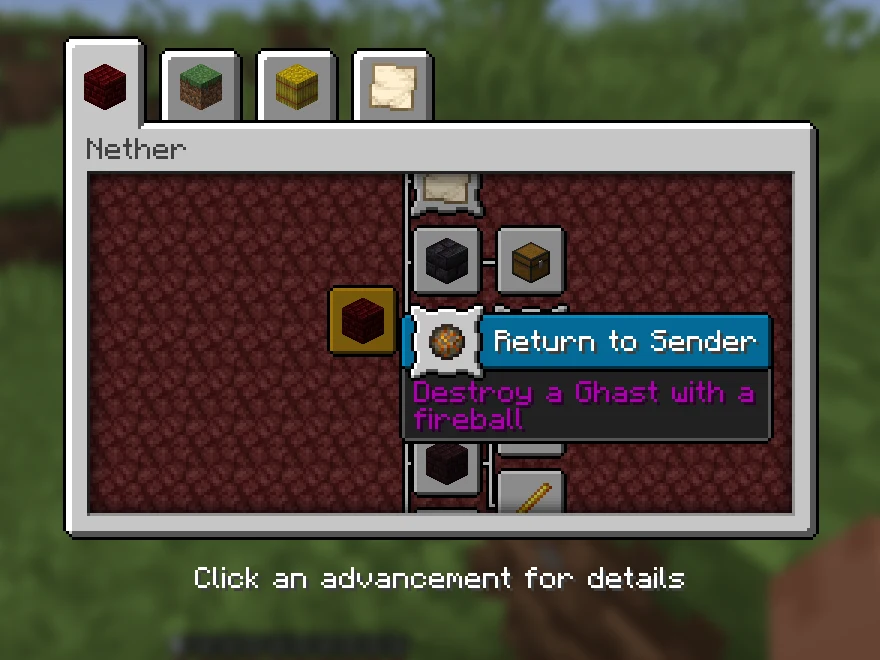
The window
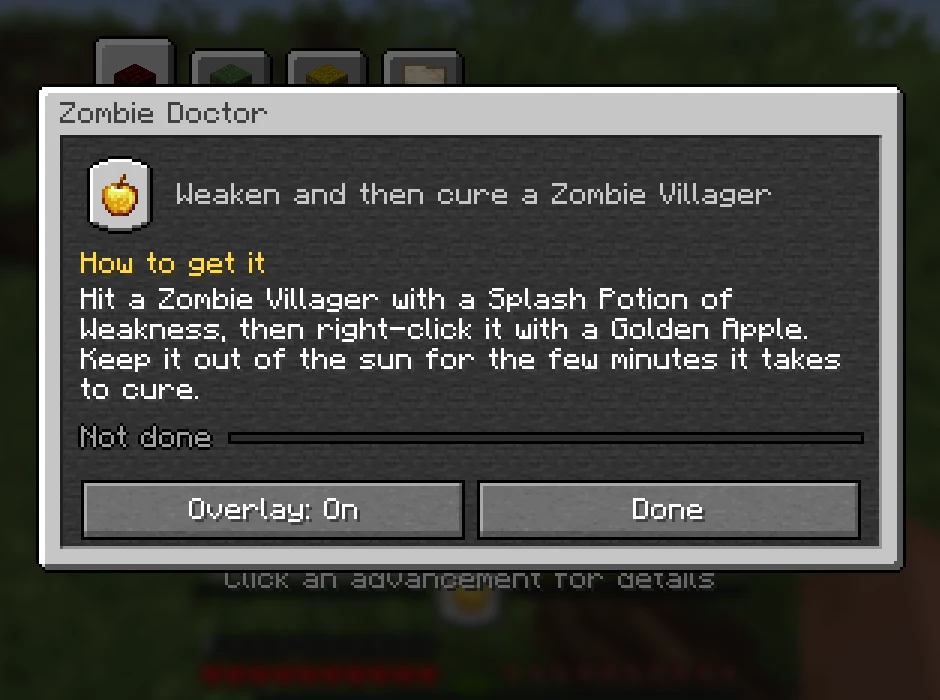
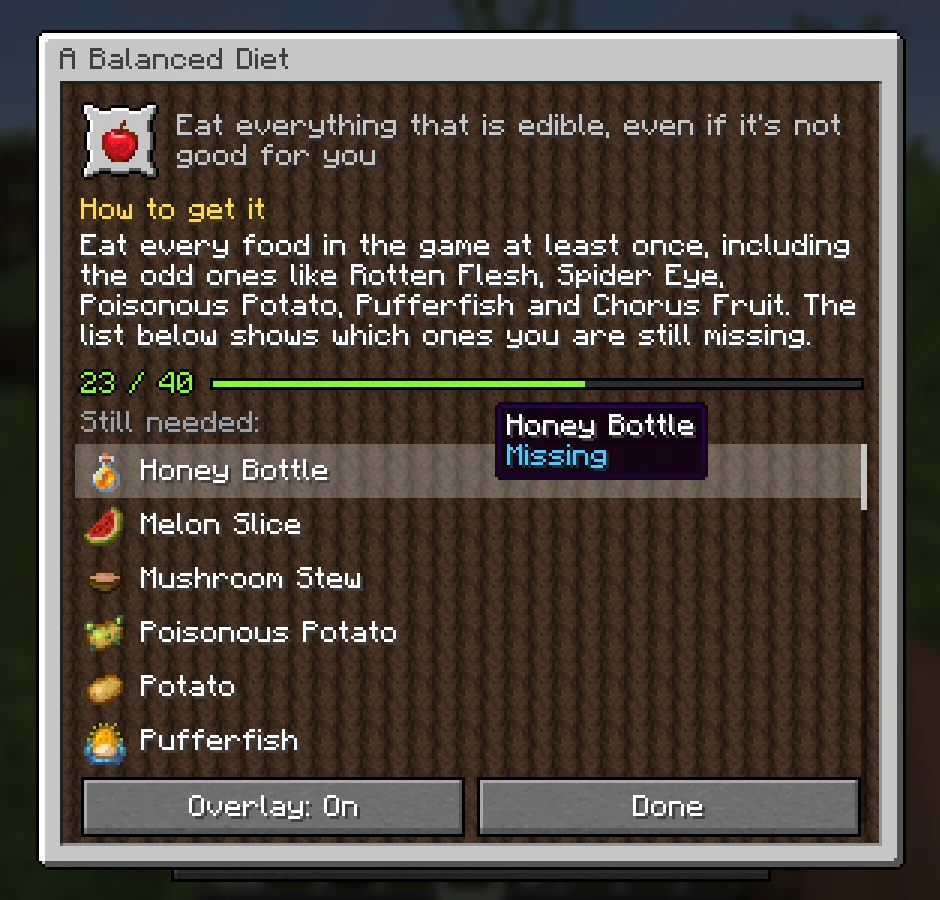
It looks like the advancements screen itself, with the category's own background, and shows from top to bottom:
- The advancement's frame and Minecraft's own one-line description.
- How to get it: what to actually do, where to find it and a tip where one helps. Written for every one of Minecraft's 126 advancements; advancements from other mods and data packs show their own description.
- Your progress, like
23 / 40with a bar, or Done. - Still needed: every part you are missing, with its icon (a map for biomes, spawn eggs for mobs, the food itself for A Balanced Diet), then the parts you have in gold. Hover a part you have to see when you got it. Scroll when the list is long.
- Overlay: On / Off to show this advancement while you play, and Done.
The overlay
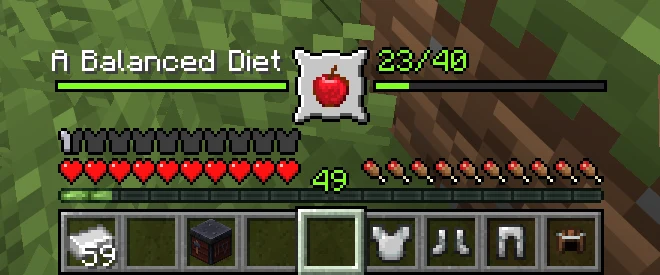
Turn the overlay on for one advancement at a time (one per world or server, remembered between sessions). It sits right above your hearts and food: the advancement's frame and icon in the middle, its progress bar running out to both sides, the title on the left and the count on the right. It moves up with extra heart rows, armor and air bubbles, and steps aside while the held item's name or an action bar message is showing.
Animation and sounds
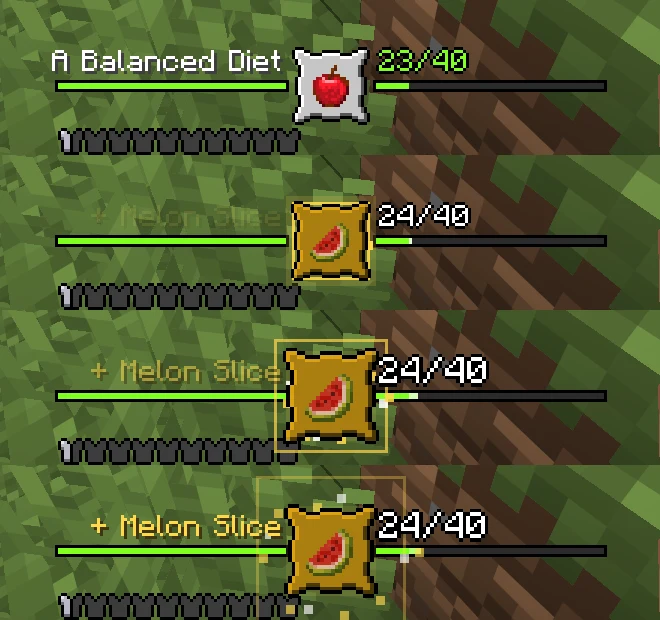
When you get a new part, the frame pops and turns gold with that part's icon, a gold ring and sparks burst out, + Melon Slice fades in, the count pulses and the bar slides to its new value with the new piece flashing. A soft chime plays that climbs in pitch the closer you get. When the advancement is done, the burst is bigger, the title becomes Advancement Made!, Goal Reached! or Challenge Complete!, the level-up sound plays (challenges keep vanilla's fanfare) and after a few seconds the overlay shrinks away.
In a corner instead
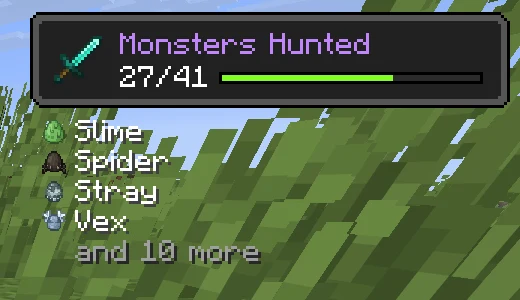
Prefer the overlay out of the way? Set trackerPosition to top_left or top_right: the advancement then shows like an advancement toast, with the next missing parts listed below it.
Works everywhere
Advancements only needs to be in your own game. The server already sends every part of every advancement to your client, so it works in singleplayer, on modded servers and on vanilla servers alike. Servers do not need it.