 MyCelium Wiki
Features
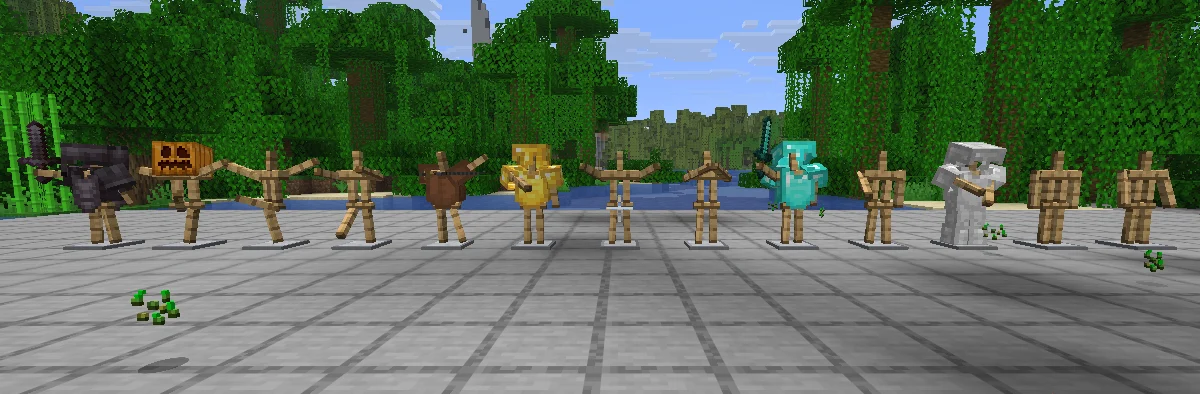
The 13 poses
Sneak and right-click an armor stand with an empty hand to switch it to the next pose, in Bedrock Edition's order:
- Default
- No pose
- Solemn
- Athena
- Brandish
- Honor
- Entertain
- Salute
- Riposte
- Zombie
- Can-can A
- Can-can B
- Hero
The action bar shows the new pose and its number, like Pose Salute 8/13. A stand with a custom pose (from a command or another mod) starts again at Default.
Redstone poses
When the redstone signal next to a stand changes, its strength picks the pose: 1 is No pose, 2 Solemn, and so on up to 12 for Hero; 13 and up wrap around (13 is Default, 15 is Solemn). A steady signal never changes a stand on its own, so poses you set by hand stay, even next to a powered block. Comparators, levers, buttons and daylight sensors all work.
Arms by default
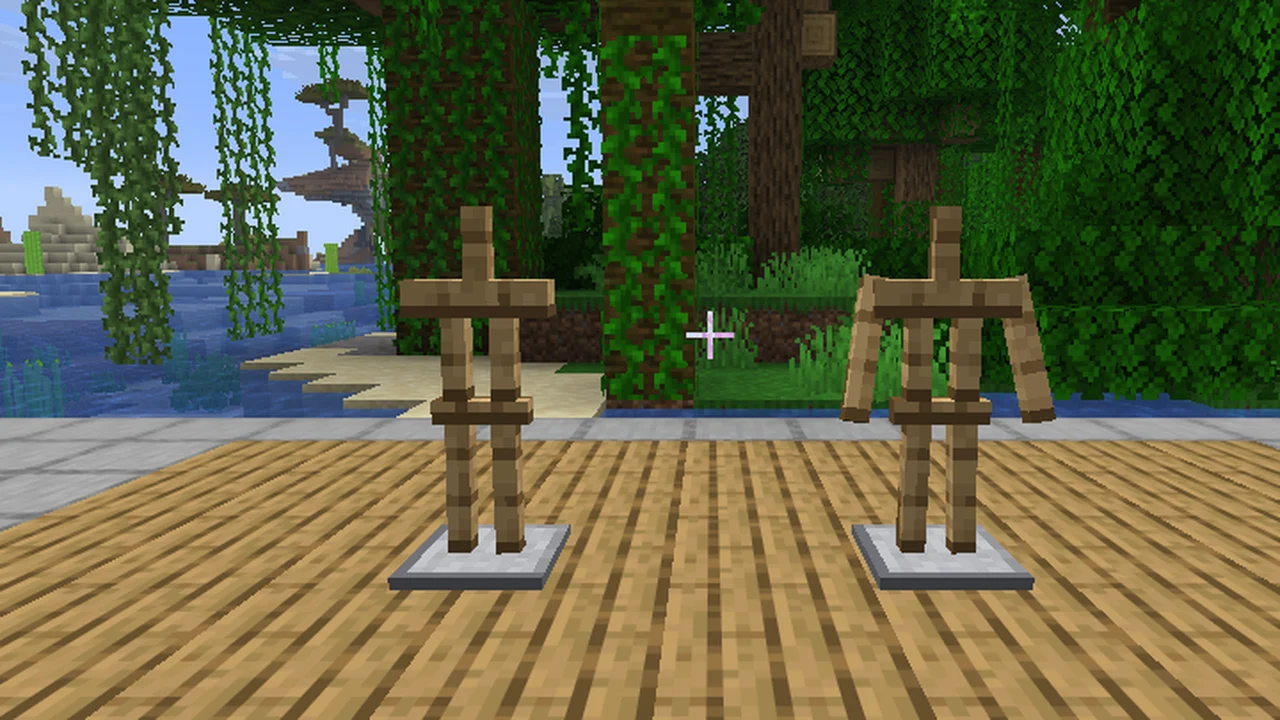
Every new armor stand has arms, like in Bedrock, whether you place it or summon it. Stands that already exist keep what they had: with arms, or without.
Base plate
Right-click a stand with shears to remove its base plate, for clean displays. Right-click again to bring it back. The shears are not used up.
Turning with R
Look at a stand, hold R and move the mouse left or right. The stand turns with the mouse while your camera stays still, and its base plate stays put. Hold sneak while turning to snap to 15° steps. The action bar shows the angle. Rebind the key under Options, Controls, Gameplay ("Turn armor stand (hold)"). Needs the mod on your client and on the server.
The first time you look at a stand, the action bar reminds you: Hold R to turn · Sneak + click: next pose.
Pose preview
Sneak while looking at a stand with an empty hand: the action bar shows its pose and the one a click gives, like Salute » click for Riposte.
A cleaner look
With the mod on your client, armor stands get a cleaner texture: warm oak with grain and outlined parts, and a polished stone base. Other players see their own texture.
Who needs the mod
- Server only: every player gets the poses (by click and redstone), arms on new stands and the base plate with shears, even on a vanilla client.
- Server and client: also turning with R, the pose preview, the hints and the new texture.
- Client only (on a server without the mod): only the texture. Clicks behave like vanilla.