 MyCelium Wiki
Brewing+ features
The stand button
Every brewing stand screen gets a small potion button in its top-right corner. Clicking it opens the guide on top of the stand without closing it, so nothing is dropped and nothing is sent to the server. Back to stand (or Esc) brings the stand back with your bottles and ingredients exactly where you left them.
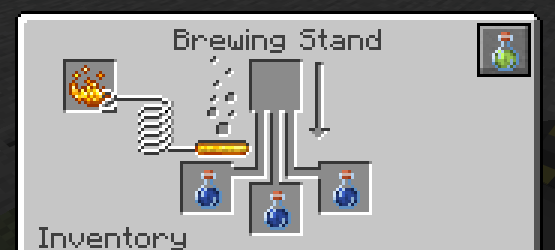
If the stand already holds a potion, the guide opens on it.
The potions page
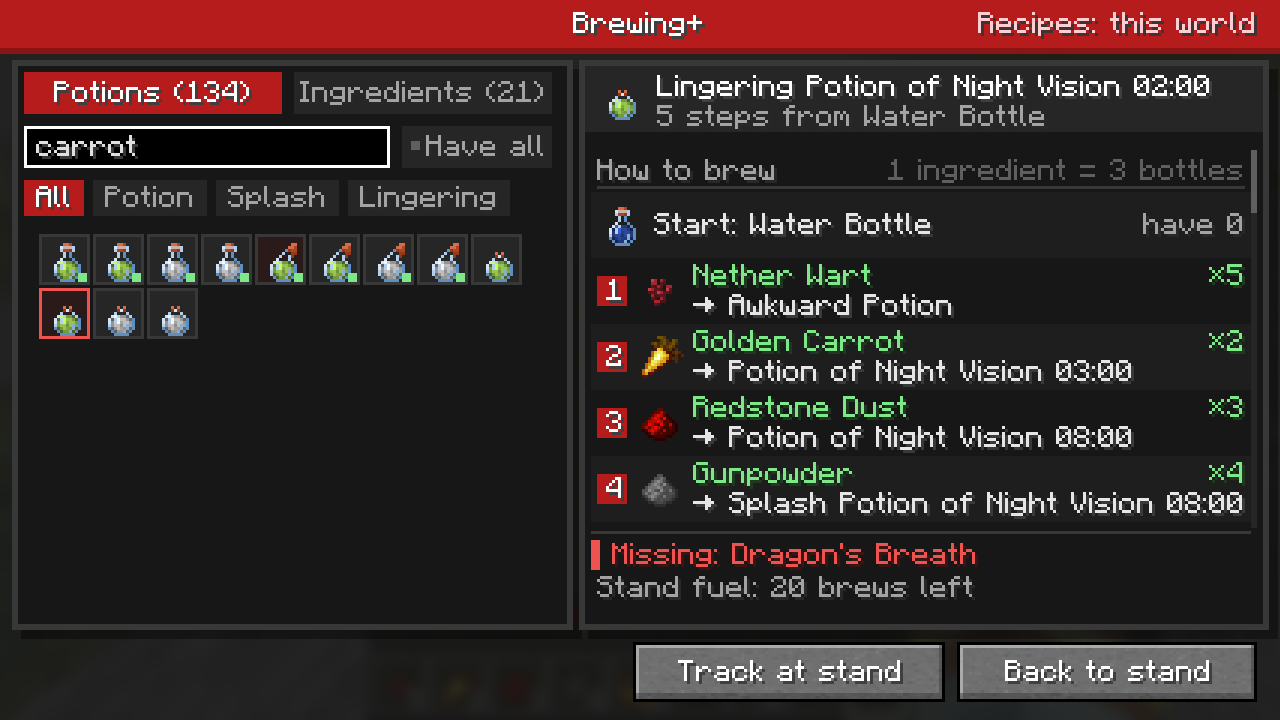
The left side is a grid of every potion the world can brew: drinkable potions first, then splash, then lingering, each in the game's own order. Hover a potion for its normal tooltip with effects and durations. A green dot means you carry every ingredient its recipe needs.
- All / Potion / Splash / Lingering narrow the grid to one bottle type.
- Have all shows only the potions you can brew right now with what is in your inventory.
- Search matches potion names and ingredients alike: type
carrotto find everything brewed with a golden carrot.
Reading a recipe
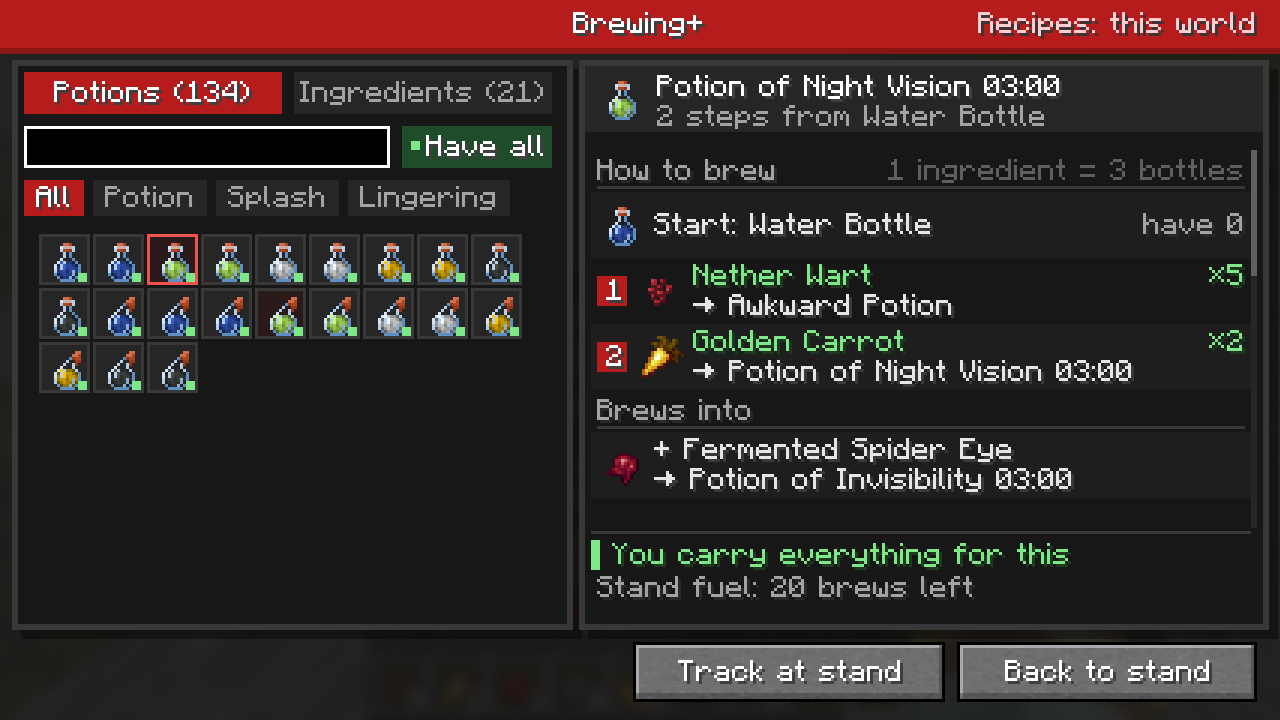
Pick a potion and the right side shows how to brew it:
- Start is the bottle to begin with, almost always a water bottle, and how many you have.
- Each numbered step is one ingredient and the potion it turns your bottles into. The ingredient is green when you carry it and red when you don't; the number on the right is how many you have.
- Brews into lists what this potion can become next, such as Redstone for a longer version, Glowstone for a stronger one, or a Fermented Spider Eye to corrupt it.
- Also made from lists other recipes that make the same potion, if any.
Click any step or line to jump to that potion or ingredient. The footer says whether you carry everything, names any missing ingredients, and shows how many brews of fuel the stand has left.
The guide always picks the shortest route, and when two routes are equally long it brews the drinkable potion first and turns it into splash or lingering last, the way most players do it. One ingredient brews up to three bottles at once, so a step costs one ingredient whether you brew one bottle or three.
The ingredients page
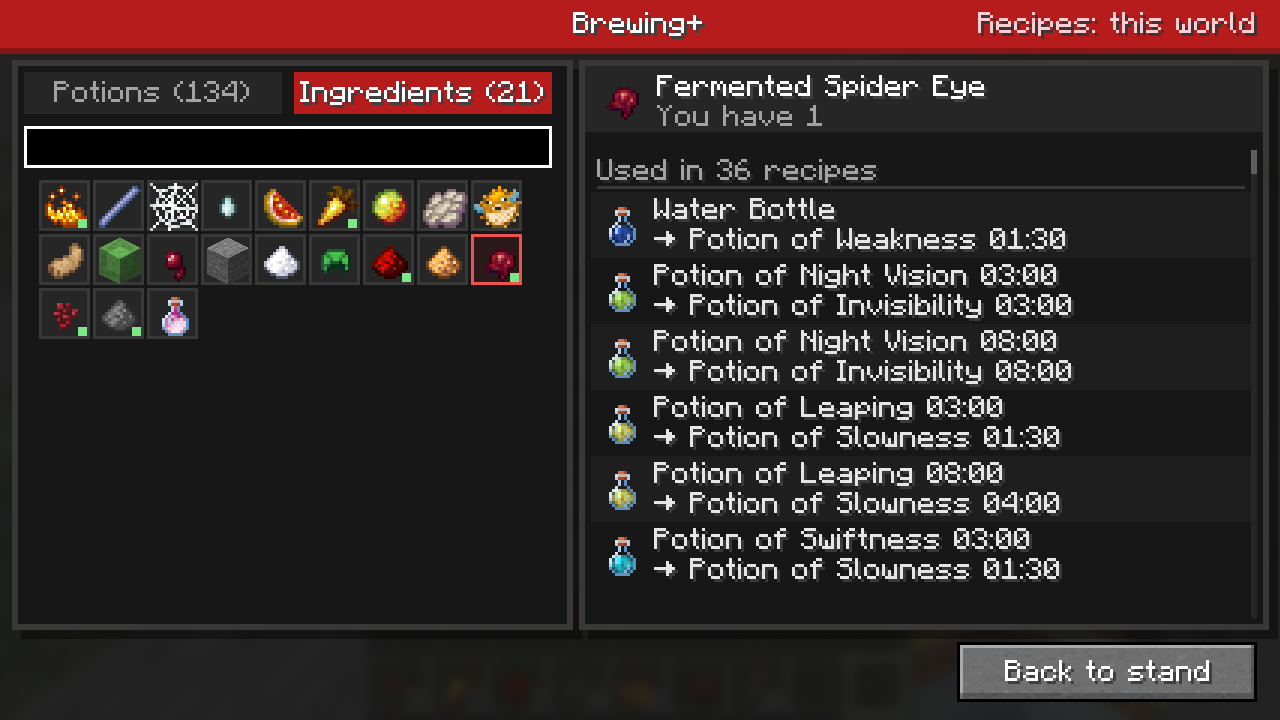
The second tab lists every brewing ingredient. Pick one to see every recipe it is used in, from which potion to which. That's handy for "what can I do with this Fermented Spider Eye?" Each line jumps to that potion's recipe.
Tracking at the stand
Pick a potion and click Track at stand. Back at the stand, Brewing+ follows along as you brew:
- A faded ghost of the next ingredient sits in the empty ingredient slot. With no bottles in the stand, ghosts of the starting bottle fill the bottle slots.
- A card beside the stand names the next ingredient, how many you have, and how many steps are left. It also warns you about a wrong ingredient, a bottle that can no longer become the tracked potion, or a stand with no fuel.
- When the bottles are done, the card says so. Click Stop tracking in the guide to switch it off.
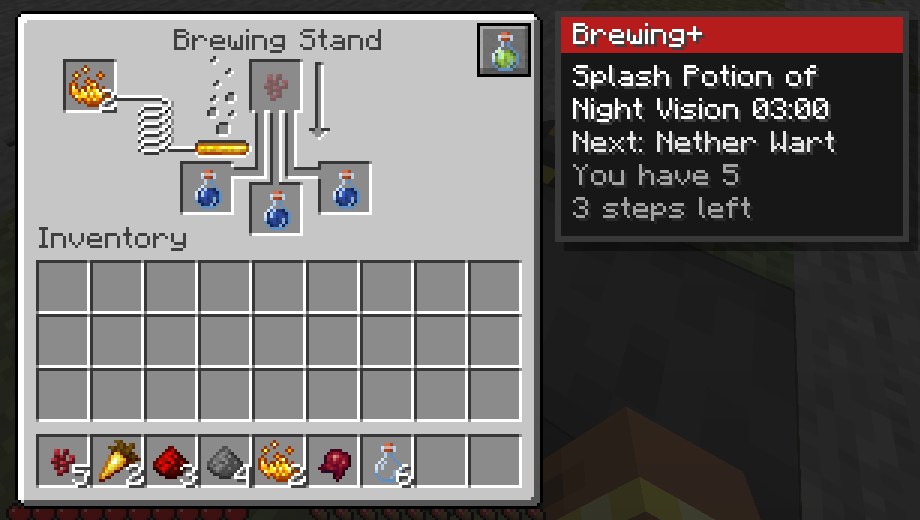
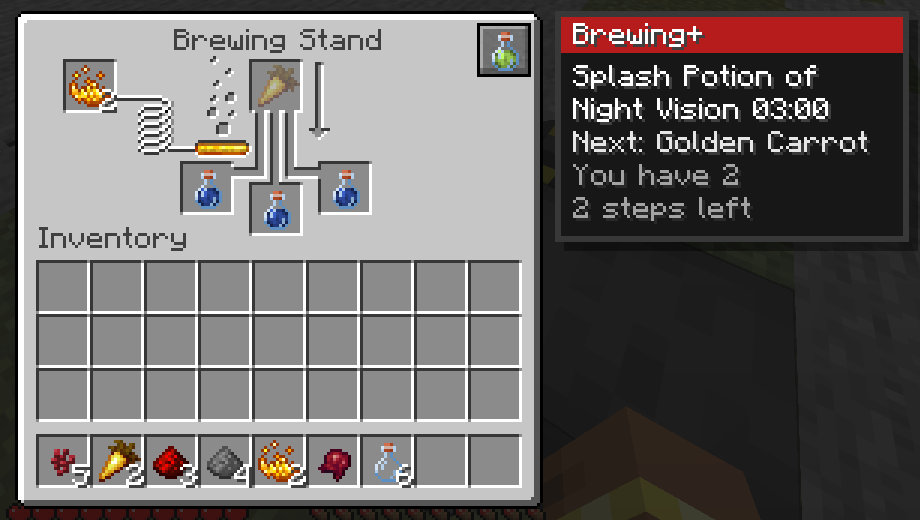
The card sits beside the stand on whichever side has room, and wraps its text on small screens. The guide follows the bottle in the first occupied slot, so brewing mixed bottles works, but the card points it out.
Where the recipes come from
Since Minecraft 26.x, brewing recipes are data, just like crafting recipes. That means datapacks and mods can add or change them, and servers do not send them to players. Brewing+ handles both cases, and the top-right of the guide says which one you are in:
- Recipes: this world (singleplayer and LAN hosts): read straight from your world, datapacks and modded recipes included. Exact.
- Recipes: vanilla (multiplayer): the vanilla recipes, minus any whose ingredient the server does not accept. Ingredients the server accepts that no known recipe uses still appear on the ingredients page, marked with a ?.
What it leaves alone
- The brewing stand works exactly like vanilla. Brewing+ only reads and shows; it never moves items or changes recipes.
- Nothing runs on servers. Dedicated servers never load any of this code, and no packets are sent. It works on vanilla servers.
- The guide remembers your last page, filters and tracked potion until you quit the game.
Performance
Recipes are read once per world and every route is worked out in one go, a few milliseconds even with datapacks. Nothing runs while the guide is closed except the stand card, and only while you are tracking a potion with a stand open.